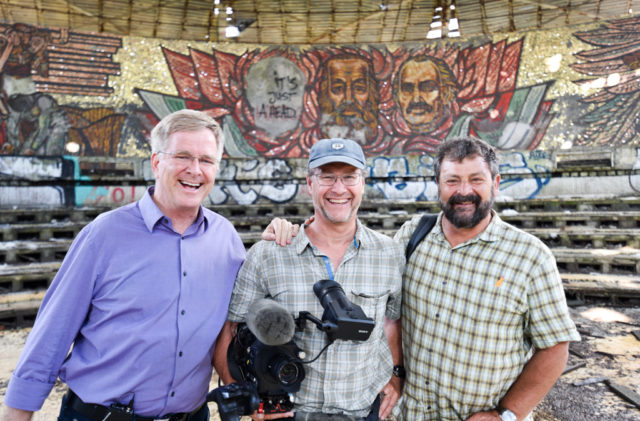
My co-author and frequent collaborator, Cameron Hewitt, is well-traveled, smart, and insightful. And, while he and I are in perfect sync in our travel styles and priorities, he gives voice to the next generation of "Rick Steves travelers." Join me in enjoying his reports right here. —Rick

10 Europe Travel Hacks

I head out in a few days for Europe. And as I pack my bag, I’m also recalibrating my brain for European travel — already thinking strategically about how I can make this trip smoother than ever. Over many years of traveling professionally, I’ve come up with a bag of tricks I rely on to save time, save money, and travel smarter. We used to call these “tips”…but these days, they’re “hacks.” And so, here are my 10 favorite hacks for traveling in Europe.

Research hotels online — but book direct.

When choosing hotels, I do my homework using guidebooks and online review sites such as Booking.com and TripAdvisor. But once I’ve made my decision, rather than just clicking “Book It!” on a booking site, I send the hotel an email to reserve. Call me old-fashioned, but I enjoy the personal connection of booking direct — especially at a smaller guesthouse or B&B, where I’ll be personally interacting with the host once I arrive. And booking direct allows me to make special requests clearly — such as asking for a quiet room.

Hotels and B&Bs pay a big commission if you book through a third-party site; with rare exceptions, they appreciate when you book direct — and sometimes offer a better rate or other extras (such as free breakfast). In our Rick Steves guidebooks, we list many hotels that offer a discount to our readers…but only to those who book direct. Finally, while a booking site may show that a hotel is “sold out,” you may find there are actually available rooms if you contact the hotel directly. (Hotels must commit a certain number of rooms to the booking site, but often reserve a few for their own use.)

Yes, booking by email means you have to wait for a response. But hotels are usually very quick to finalize the booking — and for all the reasons noted here, I believe it’s still worth a little patience.

Set yourself up to breeze through airport security.

A few years ago, I signed up for the US Customs Global Entry program — and it was the best $100 I ever spent. This lets me use the speedy Global Entry lane to zip through Immigration when returning home to the US. Even better, Global Entry also comes with five years of TSA PreCheck privileges.

Applying for Global Entry is, let’s be honest, a bureaucratic nightmare: confusing paperwork, sometimes-conflicting instructions, and an in-person interview in a gloomy back room at the airport that feels like an FBI interrogation. But if you’re willing to feel that pain once, it buys you five years of easier airport experiences.

It’s hard to overstate what a game-changer TSA PreCheck is: Not only do you have access to shorter, faster-moving security lines; you don’t even have to remove your shoes, laptop, or liquids from your carry-on.

TSA PreCheck works on domestic flights, and on most flights from the USA to Europe. But once you’re in Europe, it’s meaningless. To make things easier on those intra-European hops, I prepare myself for the security lines: Rather than dumping piles of stuff in the bin, I tuck my wallet, phone, keys, and other items into the pocket of my jacket or vest, then put that in the bin. And I’m never happier to have my noise-cancelling headphones than when I’m 50 people deep in a security line.

Take full advantage of Google Maps…and be aware that GPS works offline, too.

Until the perfect travel app comes along, I find myself relying heavily on the Google Maps app. It’s a digital Swiss army knife for navigating Europe. It’s easy to mistake Google Maps as strictly a navigation app, because its main feature is offering clear and accurate directions by car, by foot, and by public transportation. But if you dig deeper and discover other features, you’ll realize it’s also useful for planning and organizing your trip details.

The “Satellite View” and “Street View” provide a sneak preview of any corner of Europe. (As I was booking my upcoming trip to Ukraine, Street View let me virtually “go for a walk” along the Kyiv street my Airbnb is on, to be sure it’s a neighborhood I’ll enjoy.) I also use Google Maps to keep track of places that interest me (restaurants, sights, shops, and so on).

Google Maps is useful even if you’re thrifty about data roaming charges: You can download the maps to your phone (look for “Offline maps” in the menu),  and they work as if you’re online, including navigation. Little-known fact: GPS features (i.e., that little blue dot that tracks your location) still work even when you’re offline.

The more I use Google Maps for trip planning, organization, and navigating, the more uses I find for it. (And don’t get me started on Google Translate…)

Download videos to stay entertained while on the road.

I know, I know — you’re not going to Europe to watch Netflix. But let’s face it: Vacation can be a good time to catch up on your favorite shows. Better yet, bring along entertainment that complements the places you’re traveling: Saving Private Ryan for Normandy, Trapped for Iceland, Game of Thrones for Dubrovnik, Inspector Montalbano or the Godfather trilogy for Sicily, and so on.

Due to country-specific licensing agreements, most US-based streaming services are partially or entirely blocked in Europe. You could use a VPN to falsify your location (pro hack: I use TunnelBear), but increasingly, streaming sites won’t work if they detect one. The best strategy is to download what you want to watch before you leave home. This is possible on Netflix, Amazon Prime Video, YouTube Premium, and apps for many major cable providers. Once downloaded, the videos can be watched offline — whether on a plane or train, or at a hotel with flaky Wi-Fi.

Be warned: Once you get to Europe, these downloads may be blocked (because your device knows you’re outside of the US). Easy fix: Put your device in “Airplane Mode” and turn off Wi-Fi, and it assumes you’re on the plane, not in Europe (and, therefore, perfectly legal) — freeing you up to watch whatever you’ve downloaded.

Find the local hipster neighborhood.

Every city in Europe has a bustling downtown tourist zone: cobbled lanes clogged with tourists, overpriced restaurants with obnoxious hucksters out front, and jaded locals who put up with you juuust long enough to extract their share of your travel budget. But every city in Europe also has an edgy, trendy “hipster” neighborhood, where locals (and savvy travelers) congregate for creative and affordable meals.

“Get off the main drag” is a travel cliché, but I’m talking about something more specific: Find the neighborhood where all the local artists, entrepreneurs, and creative chefs are opening up shop. It ain’t the classic, “ye olde” Europe, but it’s arguably even better: a vital, sometimes gritty slice of the real Europe of today. The more street art, the better.

Examples include Psyrri in Athens (instead of the Plaka), London’s East End (instead of the West End), the Seventh District in Budapest (instead of downtown), Monti in Rome (instead of the Pantheon area), the Design District in Helsinki (instead of the Esplanade), Chiado in Lisbon (instead of Baixa or Alfama), Śródmieście in Warsaw (instead of Nowy Świat and the Old Town), Södermalm in Stockholm (instead of Gamla Stan),  the West End in Glasgow (instead of downtown), Oltrarno in Florence (instead of the historical center), and the Meatpacking District behind Copenhagen’s train station (instead of the Strøget).

Sometimes it’s as specific as finding that one street or square with just the right energy: In Edinburgh, I find wee Forrest Road ( just two blocks long, near the National Museum) a far more enjoyable place to dine than anywhere on the Royal Mile. And Oslo’s Youngstorget square — while not exactly pretty — has better food than the entire run of Karl Johans Gate.

Finding these can be as simple as googling the phrase “Florence hipster neighborhood.” Do a little scouting and figure out where locals are enjoying hanging out this year…and you will, too.

Use the train diagrams at the platform.

Have you ever hopped on the train and discovered that you’re five long, crowded cars away from your assigned seat? As you pull your wheeled bag down aisle after aisle, nudging your way past the beverage cart and stepping over backpackers napping in the aisles, you might think, “If only there were a way to get on the train at the right place!

Well, there is a way: Use the handy train composition diagrams that are posted at the tracks, usually near the arrival and departure schedules. These show where different cars will arrive along the platform — so if you’re in car 7, and the diagram tells you it’ll be pulling in around sector C…well, then, you can just hang out at sector C. Even if you don’t have an assigned seat, the chart tells you which cars are first or second class. This is one of those hacks that seems painfully obvious for those who already know it…but is life-changing for travelers who didn’t.

Take advantage of free communication apps.

My stateside mobile service provider is T-Mobile, which is ideal for people who travel frequently to Europe — since texts and (slower) data are free, and calls are affordable. But other providers — like the almighty Verizon — still charge a pretty penny for international calls and data. To avoid incurring high fees, you can turn off voice and data roaming and rely on local Wi-Fi hotspots at hotels, cafés, and other public places. (For more on this, see our article on data roaming.)

Be creative about using Wi-Fi to keep in touch. If you’re calling between Apple devices, try using FaceTime in “Audio” mode (which is less sensitive to spotty Wi-Fi than “Video” mode). It’s free, and the voice quality is astonishingly better than the cell network. Bonus hack: Even when I’m data-roaming on T-Mobile, I still make calls using FaceTime. Instead of calling my wife over the cell phone network for 25 cents a minute, I can FaceTime her on the free data connection, pay nothing, and enjoy better sound to boot.

Skype also works for voice and video calls, on any kind of device. And my European friends swear by WhatsApp, a free messaging app, and Viber, an app for voice calls. None of these is fully reliable for always-on, 24-7 communication — you have to be on Wi-Fi or the data network. But they’re all free and work great when you need them.

Share snacks on the train.

If you’re in a crowded train compartment where everyone is working hard not to make eye contact, there’s no better icebreaker than offering to share your bag of pretzels, cookies, or candy. Even for introverts, this is a great way to show your fellow travelers that you’re not only friendly, but (let’s face it) a generous, all-around good human being who would be fun to get to know. I can’t tell you how many times I’ve begun a long train ride with 30 minutes of frosty silence, only to kick-start a party for the price of a couple of pretzel sticks. Works every time.

Use your phone’s camera (and photo roll) as a virtual notepad.

We think of our phone’s camera as a way to capture and share memories. But it can also be a practical travel tool — a way to keep track of important information.

At a Welsh B&B, I snapped a photo of the one page I needed from a hiking guidebook, rather than hauling the whole book along with me. (Or I could snap a photo of the map posted at the trailhead.) Out on the trail, if I get turned around, I can pinch-and-zoom my way around the map.

Once you start thinking of your phone’s camera this way, the possibilities are endless: If I show up at a museum and find it unexpectedly closed, I’ll snap a photo of the posted opening hours, so I know just when to swing by again later. If a pub has their handwritten live music schedule taped to the door, I can snap a photo to keep track of which night to return for traditional music. If I find a big, heavy book in a museum gift shop that I’d love to take home — but can’t spare the luggage space — I’ll snap a photo and buy it later online. And I can snap a photo of my passport, so I have those details at my fingertips when I’m checking in for a flight or filling out hotel registry forms…without having to dig around in my money belt for my actual passport.

Also, don’t forget screenshots, which are easy to take on both iPhones and Android phones. If you want to keep track of a webpage — say, a train schedule — but you know you’ll be offline when you need it, take a screenshot. When my parents asked me for tech support while I was in Spain, I took a series of screenshots to walk them through their phone’s menu. All of this stuff lives in my photo roll, always accessible, until I need it…and then I can just delete it.

Mail home dead weight.

Like snowballs get bigger as they roll downhill, travelers accumulate dead weight in their travels: souvenirs, brochures, a book from that museum exhibit that you’ll never look at again, a pair of sandals you packed before you knew it would rain the entire trip, and so on. But the postal system offers redemption to heavy packers. It takes all of 20 minutes and $50 to unburden yourself of several pounds of stuff that’ll only exhaust you more and more as your trip progresses.

One caveat here: It’s best to send things home from a country with a reliable postal system. That translates to “just about anywhere except Italy.” (I have Italian friends who would sooner pack it across the border — or walk it over to Vatican City — than entrust their stuff to the Italian Post.)

European post offices sell handy boxes in different shapes and sizes. When packing my box, I enclose everything in a plastic bag (for weatherproofing), and I ensure my address is written in several places on the box, including on a sheet of paper inside…just in case. (The one time that I sent a package from Italy, I got a call from US Customs in Memphis a few weeks later. The address panel had been torn off, but they found my phone number in one of my little notebooks tucked deep inside the box.) I travel with a very small roll of duct tape that I use to reinforce and weatherproof the box’s seams and corners.

Finally, be prepared to fill out some paperwork when you arrive at the post office — including “your” local address (i.e., your hotel), a list of what’s inside, and its approximate value, for the purposes of assessing duty. There’s no tax for up to $200 of European purchases, and anything you brought with you and are shipping back home is free.

Well, that’s all I’ve got. What are your favorite travel hacks?


Bonus Hacks: Check out my list of 10 Little Things I Won’t Go to Europe Without, and my Five Electronics Essentials.

Whether you call them “hacks” or just “tips,” we’ve got plenty in the Travel Tips section at ricksteves.com. You’ll find all the details on some of the topics mentioned here (using your mobile phone in Europe, for example), plus more: transportation, money, packing light, and so on.

For more tech advice, watch my colleague Kevin Williams’ talk on Traveling with a Mobile Device.
Budget Travel Can Be Better Travel

I was recently interviewed by the Washington Post for an article about budget travel tips. The article turned out great, and I learned a lot from my fellow travel writers: Matt Kepnes of Nomadic Matt, Cindy Richards of Traveling Mom, and John DiScala — a.k.a. Johnny Jet.

The interview got me thinking about how traveling on a budget isn’t just cheaper — it’s often a richer experience. Looking back, some of my favorite travel memories came on a very tight budget.

Obviously, the Post couldn’t use all of the tips I suggested. For those looking to stretch their travel dollars in Europe, here are their questions, and my unabridged answers.

Explain your philosophy for travel, and how it’s compatible with being on a budget.

For me, travel is all about experiences. And I find that — in many ways — the more money you spend, the more barriers you create between yourself and the places you’ve traveled so far to experience. I meet more interesting people staying in simple guesthouses and B&Bs instead of anonymous, international chain hotels. I enjoy the challenge of figuring out public transportation — say, for getting from the airport downtown — rather than just hopping in an overpriced taxi. And very often, I’d rather rub elbows with locals having a street food feast than dine at a white-tablecloth splurge restaurant.

I’m naturally thrifty, so even when I’m traveling for work and someone else is footing the bill, I like to keep things simple and affordable. For me, figuring out affordable ways to experience the places I’m visiting is fun. It’s the thrill of the chase.

Are there times when you had a better travel experience because of being on a tight budget — one that you would have missed out on if you’d spent more money?

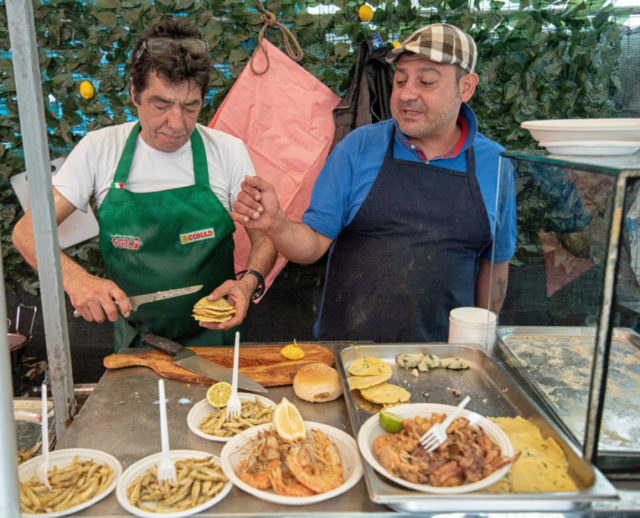
Earlier this summer, I was working on a new Sicily guidebook, and one of my favorite experiences was sampling all of the fantastic street food in Palermo. Rather than going to a stuffy restaurant, I bellied up to food carts at the market with working-class Palermitani to grab a hunk of sfincione (Sicilian pizza), a sizzling arancina (deep-fried rice ball), or a spleen sandwich.

Last summer, I was working on a guidebook in one of Europe’s most expensive countries, Iceland. I was glad I had decided to stay in affordable Airbnbs, which put me in less touristy, more residential neighborhoods. For the cost of a basic, tiny single room with a shared bathroom at a downtown Reykjavík guesthouse, I rented an entire cottage all to myself in the bedroom community of Hafnarfjörður. I loved staying in the Reykjavík suburbs: Anytime I wanted, I could zip into the very touristy downtown — where all the expensive hotels are. And then, when I had enough, I could easily retreat to my Icelandic neighbors.

Speaking of Iceland, every tourist who goes to Iceland heads for the Blue Lagoon lava-rock spa. And that’s an amazing experience, for sure. But it’s expensive — currently around $100 per person in high season. Few travelers realize that Iceland has dozens of other thermal swimming pools, filled with water just as hot as the Blue Lagoon’s, for one-tenth the price. Obviously, you don’t get the exotic location. But instead of being frequented almost entirely by tourists, a municipal Icelandic swimming pool surrounds you with Icelanders, hanging out with family and friends, unwinding after work.

It’s common for a traveler to spend a few days in Iceland and barely interact with any Icelandic people who they aren’t doing business with. Staying in a suburban neighborhood and checking out the nearest thermal swimming pool not only saves money — it fosters a more authentic connection to the local culture. (If you’re headed there, be sure to check out my full list of Iceland budget travel tips.)

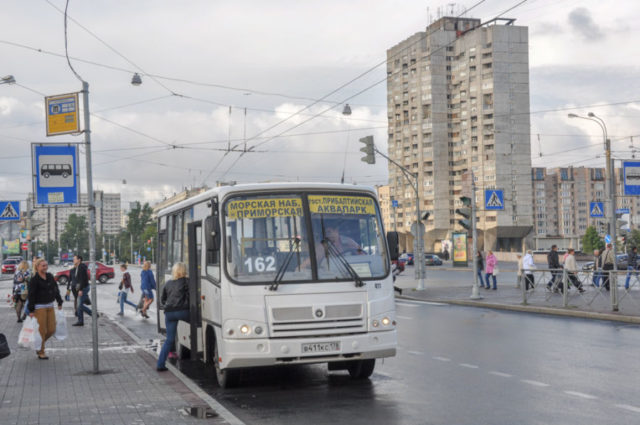
While working on our Rick Steves’ Scandinavian and Northern European Cruise Ports guidebook, I arrived at the St. Petersburg cruise terminal on a mission to find the cheapest way into the city. I watched all of the other tourists hop into taxis and pay $25. Then I noticed a lonely bus stop a few steps away. I waited there a few minutes, and a bus showed up. I paid about $1, rode it to a Metro stop, then paid another $1 for a Metro ride to Nevsky Prospekt — the boulevard in the heart of the city. Because I was zipping under congested streets, I made it downtown in record time, easily beating all of my fellow cruise passengers in their taxis…for $2 instead of $25. It was faster, cheaper, and more memorable — since I was riding along with Russian commuters, instead of complaining about traffic jams. That’s just good travel.

On my first independent backpacker trip to Europe, the only London theater I could afford was at Shakespeare’s Globe — where they sell “Groundlings” tickets, standing in the pit in front of the stage, for just £5. (These tickets are still available, nearly 20 years later, and still the same price!) I vividly remember standing on sore feet, for three and a half hours, in the drizzle, watching Anthony and Cleopatra. The actors were so close, I could have reached up and touched them. I’ve been back to the Globe since — shelling out for real seats — but I remember that Groundlings experience better than any of them…and mostly in a good way.

On later trips, I learned that most of London’s big, glitzy West End theaters wait until the morning of the show to sell their front-row seats — for half price. One week, my wife and I rented an apartment in Soho, near all of the big theaters. Each morning, we’d show up at a theater box office right when the front-row seats went on sale, and that evening, we enjoyed the best seats in the house for budget prices.

And I can think of plenty of great travel experiences I’ve enjoyed by traveling “on the cheap” (second-class train car) instead of splurging on a first-class seat, or a flight. On the rare occasion that I ride in the first-class compartment of a train, I’m amazed how boring it is up there. Meanwhile, I think fondly on many journeys spent jammed in a six-person compartment, sharing snacks and drinks and getting to know new friends.

What are your best tips for how people can save money while traveling? 

Figure out affordable local alternatives. In any place, there’s the expensive, tourist-oriented option (taxi) and the cheaper, local alternative (public bus or tram). The local alternative saves money, but it also adds an authenticity and a spirit of adventure to your trip.

Take advantage of street food. Every culture has a cheap, delicious, filling dish that locals grab on the go: herring in the Netherlands, souvlaki in Greece, Currywurst in Germany, zapiekanka in Poland, “Flemish fries” in Belgium, Cornish pasties in Britain, and döner kebab just about anywhere in Europe. It’s easy for the budget traveler to slip into a rut of seeking out American fast food chains for a cheap meal. But if you challenge yourself to find the local alternative, you can both save money and experience another facet of that culture.

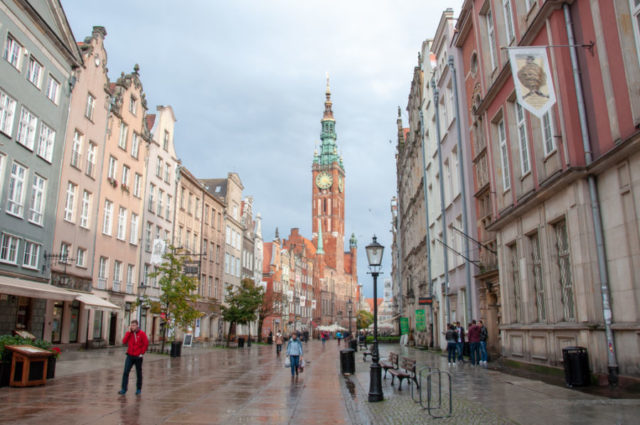
Choose inexpensive destinations. Now, I want to be clear here: If you’re dreaming of Iceland, you should go to Iceland…even if it’s expensive. But if your budget matters more than the specific destination, you might as well go somewhere inexpensive (or, barring that, rush through the pricey places and linger in the cheap ones). On one trip, I spent a week in budget-busting Norway, where — on my last night in Oslo — I went to a cafeteria and bought a cookie for about $5. The next day I flew to Gdańsk, the glorious maritime capital of Poland, where I had lunch at my favorite “milk bar” (budget canteen), right along the main drag. As I dug into my plate of pierogi, I realized that my entire lunch cost me less than last night’s cookie. I’m not saying Gdańsk is “better” than Oslo — it depends on what you’re looking for — but there’s no question that it’s much, much cheaper. If saving money is your priority, give serious thoughts to Europe’s budget fringes: Portugal, Greece, Poland, Hungary. Europe’s cheapest corners are cheap because they’re out of the way — far less touristy, less crowded, and easier to get an authentic dose of local culture. In Salzburg or Venice, you’re a pest…just one more tourist. In Coimbra or Kraków, you’re a novelty.

Do your homework. All of the other tips boil down to this. The more prepared you are, the more affordable and rewarding your trip will be. All over Europe, it’s so clear to me that things designed to be “easy for tourists” are also overpriced. If you come prepared, you can skip right past those and take advantage of the cheap, more memorable local alternative. Use a good guidebook, check out websites and blogs that match your travel philosophy, and solicit tips from friends on social media.

What are your favorite budget travel tips?


Be sure to read the Washington Post article to see what other travel writers had to say on the topic.

For a more comprehensive roundup of travel tips, check out Rick’s Thrifty 50 Travel Tips…and his follow-up, The Dirty 30 — More Cheap Tricks.

Celebrating a Lifelong Love of Travel — and 200 Posts

A Note from Rick Steves: “When people ask me about my favorite travel writers, I don’t need to look far. When I read the words of my most prolific co-author, Cameron Hewitt, I’m inspired to dig deeper into complex cultures, to experience the ups and downs of travel more intimately, and to share that essence of good travel more vividly. And, while I enjoy taking credit for a lot of what Cameron does, his blog is the place where his own personality can really shine through. Cameron’s blog is an entertaining, informative, often funny behind-the-scenes look at what it’s like to be a travel writer. He shares his infectious love of travel, mixed with savvy insights on how to do it better. I see Cameron as the ‘next generation’ of my style of travel. —Rick”

Rick, Vladimir, Cameron

This post marks the 200th installment of my travel blog. Since my first post, three and a half years ago, I’ve enjoyed packing my readers along as I travel through Europe, writing guidebooks and producing travel content for Rick Steves’ Europe. Thanks for traveling along with me!

As I worked on this 200th post, I flipped back through the 199 that came before it. Here are a few of my favorites from the last few years:

I try to make my blog practical: tips for finding Europe’s best gelato,  a list of all the little things I pack along on every trip to Europe, advice for planning an itinerary in Iceland, an attempt to decode Spain’s tapas culture,  a vicarious stroll through Palermo’s street food scene, tips on enjoying the thermal bathing culture in Hungary and in Iceland, and lots more.

But I also like to keep things fun. A good traveler has to maintain their sense of humor, whether it’s the time I found myself embroiled in a small-town gelateria war, or my run-in with a particularly surly ticket-taker at The Last Supper in Milan, or the time I went on two different Sound of Music tours in Salzburg, back to back — for work, I should stress — even though I am not a fan of the movie. (While this post is a personal favorite of mine, serious SoM fans were not amused…)

Speaking of laughing at my own misfortune, my “Jams are Fun” series — inspired by the travel motto of my wife’s Great-Great-Aunt Mildred, who believed things really get good when a trip goes sideways — includes an account of the time I was stuck on a cruise ship during a hellacious storm on the North Sea, and the time I very nearly ran out of gas on Scotland’s desolate north coast.

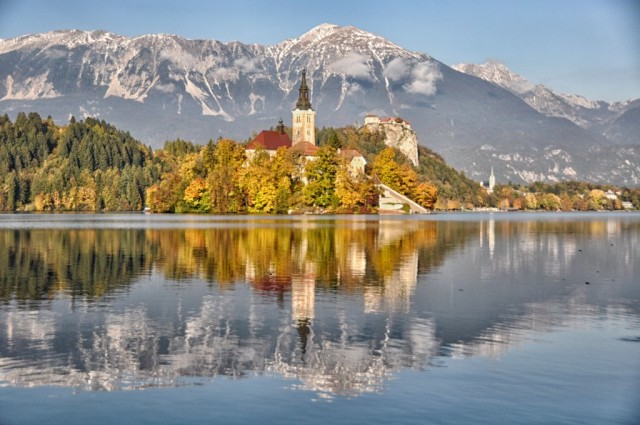
My favorite cities in Europe are BudapestSarajevo, and Ljubljana. I love pretty much everything about Slovenia, from its glorious scenery, to its great foodie scene, to its wonderful people.

A more recent favorite is Iceland, where I spent a few weeks working on our brand-new Rick Steves’ Iceland guidebook (co-authored by Ian Watson) — which, since it came out in March, has become the bestselling guidebook in North America. Iceland is extremely (and deservedly) popular — my Top Ten Budget Tips for Iceland is my most-viewed post of all time.

Writing new guidebooks is challenging but gratifying work. Since I started this blog, I’ve also worked on our new books on ScotlandBerlin, and (coming in 2019) Sicily, plus updating our guidebooks everywhere from the Greek Islands to Wales to Croatia’s Dalmatian Coast to Oslo.

One of my all-time favorite travel experiences was the Thanksgiving I spent at an agriturismo in Tuscany with my wife’s family. From sniffing out truffles in a forest, to a variety of memorable cooking classes, to connecting with the artisans of Montepulciano, it was simply peak travel.

In my 18-plus years working with Rick Steves, I’ve worn a lot of different hats — including guiding for Rick Steves’ Europe Tours. Being a tour guide is not always what it’s cracked up to be…but at least you collect plenty of memorable stories along the way.

I’ve also taught a variety of travel classes (including a new one on Iceland) and helped out with Rick’s public television series —  scouting, writing, and producing two new episodes on Bulgaria and Romania. (It was a, let’s say, memorable place to film…even if a few great bits wound up on the cutting-room floor.) It’s fascinating to be behind the cameras on one of America’s best-loved travel shows.

Thanks again for traveling along with me. And stick around — lots more is coming up soon. I take off in about a month on a swing through Poland, Hungary, Slovakia, Ukraine, and Iceland.

But first…

My Travel Origin Story

This “200th post” benchmark has me feeling nostalgic for my earliest days of traveling. The funny thing is, for someone who’s made a career out of traveling in Europe, I had to be dragged into it kicking and screaming.

When I was about eight or nine, my parents — who had lived in England and Switzerland in the late 1960s — announced that it was time for a family trip to Europe. My temper tantrum brought that discussion to an abrupt and definitive conclusion. I don’t remember why, exactly, I was so terrified to go to Europe. I guess it all just seemed so…unfamiliar.

My sophomore year in high school, my Dad invited me to join a language-immersion program he’d set up for his students in Oaxaca, Mexico. By that time, I was just adventurous enough to say yes, but clueless about how impactful the experience would be. Which turned out to be a beautiful thing: Oaxaca gobbled me up whole, my wonderful host family took me in as one of their own, and I discovered a passion for learning about the world that I never realized I had…despite a torrid case of dysentery that went on for days (but that’s another blog post). I loved it so much, I went back to Oaxaca the next two summers, too.

Then, in college, a professor talked me into joining his semester abroad program in Salamanca, Spain. And when I finally set foot in Europe, it lit a fire in me. My semester abroad whetted my appetite.

Then, after graduation, I went back for the classic two-month backpacker adventure (equipped with a railpass and the 1999 editions of Rick Steves guidebooks). It was one of those trips where my shoestring budget and utter lack of travel savvy conspired to create indelible travel memories: Standing in the “Groundling pit” to watch a three-and-a-half-hour play at Shakespeare’s Globe in London. Visiting Munich three different times — on daylong layovers between night trains — without ever actually sleeping there. The suspiciously cheap neon-blue clothesline that left a cyan stripe across my entire wardrobe. Hiking down from the Schilthorn, in the Swiss Alps, in frigid temperatures, shivering in just a T-shirt.

My favorite travel memory from that first trip was the culmination of a journey that was, in retrospect, foolhardy. I was staying with family friends near Dartmoor National Park in southern England. My friend Trevor, who was in the Peace Corps in Slovakia, suggested that we meet up in Kraków, Poland. In an age before cell phones and budget flights, I figured out a ludicrously long, Rube Goldberg route to get from Plymouth to Poland. It would take two full days and wring the maximum value out of my 10-days-in-2-months railpass.

Trevor and I made our arrangements on a quick England-to-Slovakia phone call. “I’ll see you on Tuesday morning around 8:00 in Kraków,” I said. “Where should we meet?” Trevor said, “They must have a main square, right? So I guess I’ll just see you on the main square.”

The next 36 hours are a blur: Train from Exeter to Plymouth. Ferry from Plymouth to Roscoff. Train from Roscoff to Paris. Night train from Paris to Munich. A few hours stretching my legs in Munich. Then an afternoon train from Munich to Berlin, just in time to catch my night train from Berlin to Kraków.

On the Paris-Munich night train (my first ever), I hadn’t bothered to reserve a couchette…so I spent a mostly sleepless night sitting up in a three-facing-three compartment, jockeying for position with five other sets of huge, hairy legs. (The Teutonic he-men sharing my compartment probably weren’t the Austrian national weightlifting squad…but they could have been.)

Stepping out of the Munich train station, bleary-eyed at six in the morning, I stood at the curb in the pouring rain waiting for the light to change. I looked left, looked right, looked left again…and even though there wasn’t a motor vehicle within sight, the five German pedestrians next to me stood still, patiently waiting for the green.

That final night train — from Berlin to Kraków — had me a bit terrified. Like all backpackers in those days, I’d heard harrowing tales about people being “gassed” or drugged on Eastern European night trains and robbed blind. (Thinking back, it’s hard to imagine what they possibly could have stolen from me. Really, how much would a used Discman and a few Led Zeppelin CDs fetch on the Polish black market?)

Having learned from my earlier night train experience, I booked a sleeper compartment, which I shared with an extremely anxious elderly Polish couple. I remember the terror in their eyes as the train pulled away from the Berlin station. A decade after the fall of the Berlin Wall, it was clear that this journey — or, likely, the idea of crossing any border — still felt exotic, even dangerous. I have rarely seen people so deeply rattled.

When we reached the border in the middle of the night, the German border guard woke us unceremoniously, with his practiced routine: abrupt rap at the door, then reaching up to instantly flick on all of the cabin’s lights full-blast. My nervous compartment-mates handed over their passports, with a wrinkled 5-Deutschmark bill poking conspicuously out of the middle. The guard sneered — at their attempted bribe, at the pathetically small amount, or probably at both — and made them take it back. After he stamped their passports and moved on to the next compartment, they shared a celebratory hug.

Finally the train pulled into Kraków’s station, leaving me alone at the crack of dawn in a completely unfamiliar country. Walking through the lush Planty park that rings the Old Town — still and serene at this early hour — my sleep-deprived brain struggled to catch up.

Not only does Kraków have a main square, as Trevor had assumed — it’s one of Europe’s prettiest, and not a bad grand finale to my epic journey from the moors of South England to the plains of Poland. Stumbling slack-jawed through the Main Market Square, I found a bench and waited out the few remaining minutes before our meeting time. And then, as the bells of St. Mary’s Church clanged eight times, Trevor popped into view at the opposite corner of the square. “Hey, Hewitt. Welcome to Poland!”

And that’s when I thought: I could get used to this travel thing.

What’s your travel origin story?

Dining at Europe’s Foodie Splurge Restaurants: A Practical Guide

These days, more and more travelers are investing serious time and money in top-end fine-dining experiences across Europe. And on a few special occasions, I’ve jumped on this bandwagon — spending more on a meal than my hotel room cost.

I proudly consider myself a foodie. But I define “foodie” broadly: I’m simply someone who considers food an integral part of any culture — and any travel experience. On the other hand, I’m also thrifty, so splurging on a fancy meal doesn’t come naturally to me. I strongly believe that “foodie” doesn’t have to mean “expensive.” Some of my favorite culinary experiences in Europe have come with the lowest price tags, from grazing on street food in Palermo to my €25 day in Ljubljana.

And yet, a fine-dining extravaganza certainly deserves a place on the spectrum of foodie experiences. Here’s one traveler’s take on what it’s actually like to dine at a world-rated restaurant — designed to help you decide whether that experience deserves your time and money.

Finding, Booking, and Dining at High-End Splurges

Part of the fun of fine dining is doing your homework — figuring out which place deserves your splurge budget. I’m a devotee of Netflix’s exquisite food documentary series Chef’s Table — and after every episode, I’m ready to book a plane ticket. (Documentary Now! — also streaming on Netflix — did a genius parody of this type of foodie tourism.) And the Restaurant Magazine 50 Best Restaurants list has — among a younger generation of foodies — eclipsed Michelin stars as an indicator of the world’s best (or, at least, buzziest) eateries. Learning about a restaurant through these sources can make booking and anticipating a reservation a highlight of your trip preparation.

But that’s the first trick: Getting a table. Restaurants that are really hot book up many months in advance. If you have a place in mind, as soon as your dates firm up, check their website for the reservation policy. Many release blocks of reservations two to three months in advance  — and once they’re gone, they’re gone. It’s not unusual for foodies to set an alarm for midnight Copenhagen time, three months to the day before their visit, to try to book that elusive table.

So, your table is booked, and you’re ready to drop $200 per person on (what had better be) a life-altering culinary experience. If you’re like me, you may need to spend a little time rationalizing that high price tag. I’m not going to pretend I’m some sort of a bumpkin, but I must admit, until a few years ago, I was skeptical about fine dining. For a long time, I believed that once you reach a certain cost threshold for an upper-midrange restaurant (say, $40 or $50 a person), how could it really get that much better? At a certain point, you’re just throwing good money after bad. But a few recent dining experiences have changed my thinking.

On a trip to the Basque Country in northern Spain, my wife and I booked a table at what was, at the time, the “16th top-rated restaurant in the world,” Azurmendi. Driving through the verdant Basque hills to our midday reservation, we were debating whether lunch for two could really be worth a total tab of over $300 and several hours of our precious Spanish vacation.

But when we walked in the door, we began to understand that when you go to a world-rated restaurant, it’s not just a meal — it’s an experience. If you conceptualize this meal as part of your “food budget,” it’s outlandish. But if you think of it as an “experience”…well, that may be justifiable. We’ve spent $300 on other experiences in our travels, and felt it was a good value: prime tickets for a hit musical on Broadway or the West End, or a home playoff game for my beloved Denver Broncos, or a live concert of a huge-name musical act, or a sightseeing flight through Slovenia’s Julian Alps. And in an age where chefs are attaining celebrity at a level on par with rock stars and athletes…well, that’s what splurging is for.

As we arrived for our reservation at Azurmendi, we were invited into the leafy conservatory and given a little picnic basket filled with creative amuses-bouche.

Then, in the greenhouse, they showed us where some of the herbs and produce were grown; more amuses-bouche were creatively tucked among the plantings.

Then they took us into the busy kitchen, where an army of chefs and cooks — outnumbering the diners — were scurrying around with great precision, directed by the confident chef, Eneko Atxa. Observing this controlled hubbub, we were offered yet another amuse-bouche.

About 30 minutes and a light meal after we’d arrived, we were finally shown to our table. The rest of the meal was a fine experience, and taken together, that’s just what it was: an experience. I’ll admit it’s not The Best Meal I’ve Ever Eaten, but it was certainly one of the most interesting and entertaining.

Chef Atxa elevates Basque cuisine to an astonishing degree. Each dish was an adventure…an experiment in intensely focused flavor. Cauliflower, fried eggs, and truffle, composed like a surrealist painting. Natural spider crab, emulsion, and infusion — a super-concentrated taste of the sea that left my mouth tingling for several courses. Slightly spicy fried suckling pig and three Basque cheeses in three textures, which was…exactly as described.

Leaving the restaurant, we agreed that — assuming travel is worthy of the occasional splurge — it was $150 per person well-spent. And we certainly remember it more vividly than any other meal on that trip.

My favorite fine-dining experience took place in the remote Slovenian countryside, at Hiša Franko, owned by 2017’s highest-rated female chef in the world, Ana Roš. Ana was profiled on Chef’s Table, which we watched not once but twice before eating there. Imagine our delight when we walked in the door for our reservation, and there stood Ana herself at the maître d’ station. She took our coats, showed us to our table, and brought us bread, while we stuttered our greetings, star-struck and tongue-tied.

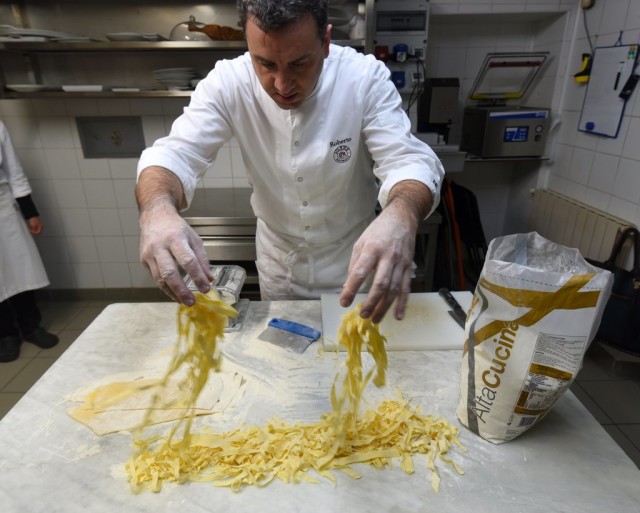
But that was just the beginning of a marvelous dining experience. Ana Roš lacks the theatricality of Azurmendi…but she doesn’t need it. It sounds like a cliché from a cooking-competition TV show, but over the course of her degustation menu, she achieved what every great chef aspires to: Through her food, she told a story about herself, and about the place she comes from. The progression of dishes felt like journeying through the pastures, rivers, and mountains of the Slovenian countryside all around us. Her food tasted like Slovenia. Her food could only be rooted in that place, and could only have been made by her. It was a culinary revelation the likes of which I have never had before, or since. And that’s why — for me, at least — it’s worth it.

Fine Dining for Dummies

I’m still new enough to this fine-dining scene to find its customs quirky and fascinating. If you haven’t experienced a fine-dining restaurant, let me walk through what to expect — tongue planted firmly in cheek.

On arrival, you’ll be greeted warmly and seated. Your purse even gets its own little stool. Everything operates with exacting precision, yet the pacing and atmosphere are insistently relaxed.

You’ll be handed a menu, but normally that’s something of a ruse. The choice is simple: Do you want the smaller tasting menu, the bigger tasting menu, or — at the finest places — the gargantuan tasting menu? I’ve never ordered anything but the smallest option, and I’ve never waddled out of a fine-dining restaurant anything short of full-to-bursting. I imagine the full-blown option would require serious consideration of the “boot and rally” strategy.

In addition to your food, you can choose whether to add the wine pairings. And if you’re going to commit to a top-end meal, just go ahead and do the wine pairings. A good, mid- to upper-mid-range restaurant stocks a nice variety of local wines, and the server can help you narrow down a glass or bottle to your taste. Well all know the rules of thumb: red wine for beef, white wine for fish. But a fine-dining restaurant takes things to an entirely different level. Your sommelier is a master at meticulously pairing wines to the nuances of each course, in a way that’s mutually beneficial to both wine and food. When properly paired, it’s nothing short of astonishing to take a sip of wine, then take a bite of food, then take another sip of wine — and see how much both flavors have changed.

The meal begins with a tiny appetizer called an amuse-bouche, which loosely translates as “palate stimulator.” (The plural is — and yes, I looked this up — amuses-bouche, which may be the most perfectly pretentious word I have ever come across.) The amuse-bouche is a sort of culinary overture — the chef is firing a warning shot across your taste buds about what’s to come. It’s a clever way for a talented chef to show off, while sneakily doubling the number of courses. While low-end high-end restaurants greet you with one amuse-bouche, the fanciest ones trot out a progression of a half-dozen or more.

By the time you make it through all of the amuses-bouche, you’re pretty much full. And then it’s time for the first course. Don’t worry — these meals usually span over three hours, sometimes four, so by the time the main courses arrive you’ll already have digested most of your amuses-bouche. Still…pace yourself, come hungry, and wear your roomy “Thanksgiving pants.”

Speaking of pacing yourself, let’s talk about the bread: Don’t fill up by gobbling the bread the moment it hits the table. This seems painfully obvious. However, it’s far more difficult than it sounds, because at a great restaurant, the bread is fiendishly delicious — spongy and warm inside, crusty and slightly charred outside. It is not an exaggeration to say that at more than one of the high-end meals I’ve had, the bread was one of the best dishes to hit the table. So we’re in agreement: Go ahead and eat some of the bread. Just…pace yourself, OK?

There will be a progression of courses. Sometimes you’ll have a list to follow along; other times, you’ll just take it as it comes. With each course, your server has prepared a brief lecture, explaining the ingredients, provenance, and technique represented. Cloches will be lifted with great ceremony, billowing rich-smelling smoke, and little teapots of broth will be poured over the dish at the last moment. Wait patiently until you’re sure it’s done. Then, only after she walks away, it’s safe to dig in.

A word about your server: You’re spending a lot of time together. And, without realizing it, you’ll slowly grow to be very fond of your server. He’s not just bringing you food, and scraping your crumbs off the table, and changing out your silverware from a little tray before each course, and deftly picking up your napkin with two forks held like chopsticks. He is your partner, your guide, your sherpa in this culinary adventure. He is your wingman.

You will like some of the courses. You will not love some of the courses. That’s OK. These chefs are in the business of pleasing, surprising, and sometimes challenging their diners. Barring real allergies or vegetarianism, I have an ethic of going along with whatever’s on the menu. In the hands of Ana Roš, even a raviolo filled with goat brain puree is unexpectedly delicious. Personally, I am not a fan of foie gras or sea urchin. (Yes, I realize this admission is severely damaging to my foodie street cred. What can I say? The taste buds want what the taste buds want.) But if a great chef wants to prepare it for me, I will try it.  And I will usually love it…usually.

As an aside, a phrase that I don’t hear nearly enough in everyday life is: “And now, we have an intermezzo before the final main course.”

Again, pace yourself. Thanksgiving pants. And, by the way, where does one buy one of those little crumb combs for the tablecloth?

At some point, probably late in the meal, the chef will appear from the kitchen and begin circulating among tables of star-struck foodies. This is like getting a backstage pass for a Springsteen concert. If you are familiar with the chef, be prepared to get flustered and say something stupid…or to stammer dumbly, saying nothing at all. If you have been dragged to this meal by a foodie spouse or relative, you will have no idea why this is such a big deal.

No matter how good the meal is, there is a moment of relief and accomplishment when you realize that you have finished the final main course. You made it! It’s all downhill from here. You always have room for dessert. (I have a relative who insists that, no matter how full she is from dinner, she has a separate “dessert stomach” that is always empty. You will need it.)

Another phrase I don’t hear nearly enough in everyday life is: “And this is a little pre-dessert…”

There is probably not one dessert, by the way. There are probably two, or three, or four.

And then, when you think you’re really finished, here comes yet more desserts: a tray of little sweets, sometimes accompanying coffee. They call these “petits-fours,” which is misleading, because there are usually more like six or seven.

So, if you’re keeping track — and if you count all of the little amuses-bouche and petits-fours and intermezzi, and, of course, that heavenly bread — a “five- or six-course meal” can be more like 20 or 25 different dishes. That’s worth some consideration in the big-picture analysis of whether it’s a good value.

When it’s all over, you’ll manage to disguise your shock when you glance at the bill, then pay it happily. That server that you have forged a bond with over the last three hours?  She’ll be getting an American-sized tip, if not a weepy goodbye hug. Then you’ll head out the door, somewhere between a waddle and a teeter (depending on whether you did the wine pairings).

So… Is It Worth It?

At the end of the day, that’s the real question, isn’t it? Can any meal really be worth such a huge investment?

My short answer: Yes. The longer answer: It depends…on the restaurant, and on the diner.

If you are a person who prioritizes food, in your life and especially in your travels…it’s probably worth it. If you can name more than five celebrity chefs (Guy Fieri doesn’t count)…it’s probably worth it. If you can conceptualize your meal as a “travel experience” rather than “food” (in the same wedge of the imaginary budget pie as scenic picnics and ice-cream cones)…well, then, it’s probably worth it.

If none of these applies to you, then maybe you should skip it. But don’t rule it out. Remember that ultimate foodie meal I enjoyed at Ana Roš’ Hiša Franko in Slovenia? My wife and I dragged my in-laws to that one. They were skeptical, but game to give it a try. And by the end of the meal, they were raving about the experience even more than we were. They even liked the goat brain puree.

If, on the other hand, you simply can’t afford it, that’s OK. Remember that there are reasonably priced alternatives. Again, “foodie” does not have to mean “expensive.”

Or….you could just stay in hostels, and let your taste buds travel first class.

See You at the Air Show: A Not-So-Glamorous Day in the Life of a Travel Writer

My wife’s Great-Great-Aunt Mildred traveled far and wide, long before such a thing was fashionable. Late in life, Aunt Mildred wrote a memoir about her experiences. The title: Jams Are Fun. It turns out that, after seeing so much of the world, Aunt Mildred realized that it’s not always the big museums, the fancy dinners, or the castles and cathedrals that stick with you most. It’s those serendipitous moments when things go awry. And so, in the spirit of Aunt Mildred, this part of my “Jams Are Fun” series about when good trips turn bad, and the journey is better for it, takes place in the Middle-of-Nowhere, Czech Republic.

As a travel writer, I pride myself on coming up with creative solutions to vexing itinerary challenges. It’s a fun problem-solving exercise. But sometimes, things just don’t pan out.

On a recent guidebook-research trip through Eastern Europe, I wanted to drive my rental car from Prague to Kraków, with some countryside stops along the way. However, the international drop-off fees for going between the Czech Republic and Poland were prohibitively high. I was mightily pleased with myself to come up with a clever plan: I’d drop my car at an obscure little airport on the outskirts of the small city of Ostrava, just a 30-minute drive from the Polish border. And then, for the second part (and masterstroke) of my plan, my Polish driver friend, Andrew, would come pick me and bring me the rest of the way to Kraków, with some sightseeing stops en route. Brilliant! What could go wrong?

Excitedly, I emailed Andrew to set up the plan. He was totally game. By the way, Andrew Durman is a prince of a guy and one of my favorite Polish people. I’ve recommended him in our Rick Steves Eastern Europe guidebook for years, and he’s provided hundreds — maybe thousands — of our readers with a warm welcome and a worry-free side-trips to outlying sights, or even scouring the Polish countryside in search of their family roots. When I brought my Chicago-area Dabrowski cousins to Kraków several years ago, it was Andrew who piled us into his van, drove us deep into pig-farming country, and translated our conversations with our newly discovered, long-lost Polish cousins. I always think of Andrew as my honorary Polish uncle.

The day of our big meetup arrived. And as I left the charming little Moravian village of Štramberk en route to the airport, I was feeling pretty smug about how well this was going to go. I love it when a plan comes together! Strangely, my GPS was showing the drive to the airport at more than double the 20 minutes I had expected. Hm. Must be a glitch.

Except…it was no glitch. After a few minutes, I ran into a long column of backed-up traffic, inexplicably jamming the remote country road. I bailed out and went looking for an alternate route. But that one was backed up, too. And the next one. And the next one.

And that’s when I heard the jet engines.

A fighter jet went screaming overhead. And then another one. And it slowly dawned on me that this was no random traffic jam. I crawled past a billboard and slowly deciphered its Czech message: “Air…Force Days…Saturday…September 20.” Wait, that’s…that’s…well, that’s today.

According to its website, the NATO Days in Ostrava and the Czech Air Force Days are “the biggest security show in all of Europe.” And I’m quoting here: “The main program, taking place at Ostrava Leoš Janáček Airport, consists of presentation of heavy military hardware, police and rescue equipment, dynamic displays of special forces’ training, flying displays, and presentations of armaments, equipment, and gear of individual units…the most-visited two-day family event in the Czech Republic.”

And so, I had scheduled a rendezvous at what I imagined to be a deserted regional airport on the very day it was hosting 200,000 visitors from all over Europe.

I called Andrew, who had figured out what was going on right around the time I did. “Hello Cameron! I have been sitting still in traffic for 20 minutes. What do you want to do?”

I had to drop off this car at this airport, before crossing into Poland. I had no choice (other than, perhaps, driving myself three hours to Kraków, then driving back three hours tomorrow to return the car, then finding a ride for the three hours back to Kraków). By hook or by crook, Andrew and I had to figure out some way to meet up…and leave this car behind.

Andrew and I — coming from opposite directions — inched toward each other and the airport, periodically calling each other to track progress. I called the rental car office and said, “I’m trying to get to the airport to drop off my car.” Nonplussed, the bored agent replied, “Oh. You know, there’s an air show today.”

As I got closer to the airport, Andrew called me to say he’d parked his car, and was walking back to direct me to the terminal. I pulled over to the side of the road and went looking for him. By this time, the air show was in full swing, with military jets doing their eardrum-piercing loop-de-loops overhead. We might as well have been on the deck of an aircraft carrier on family visit day. Employing a kind of surreal doppler radar, Andrew and I followed the deafening sound of jet engines through each other’s cell phones to triangulate our way closer and closer to each other. Finally, Andrew came into view, far down the road, and we greeted each other with a big, fraternal, Polish bear hug.

Andrew hopped in my car and said, “I told the cops up there what’s going on. He said you can just ignore all of the ‘no entry’ signs and drive up to the terminal anyway.” Gingerly, I navigated my car between throngs of aviation enthusiasts, and — with Andrew’s encouragement — drove the wrong way down a one-way service road. Approaching the police checkpoint, Andrew looked a little concerned. “Hm. That guy I talked to earlier isn’t here.” He hopped out of the car and, after a very animated conversation, told me it was OK to proceed. And so, by some miracle, we got the car back to the rental office.

We hiked a half-mile back to Andrew’s car, occasionally peering up to see the warplanes swirl overhead. By the time we reached the car, traffic had cleared out, and we zipped across the border and headed for Kraków. By the time we pulled up to my hotel — hours later than planned — Andrew and I were already laughing about our impromptu visit to Europe’s biggest air show.


If you savor the Schadenfreude of hearing about good trips gone bad, check out the other posts in my “Jams Are Fun” series.

How about that time I was stuck on a cruise ship during a massive storm in the North Sea?

Or that time I got pulled over by keystone kops in a remote corner of Bosnia?

Or, really, the entire experience of driving in Sicily.

Aunt Mildred was right: Jams are fun, indeed. What’s your favorite travel jam?